Use an L Bracket for Stable Vertical Video on Tripods
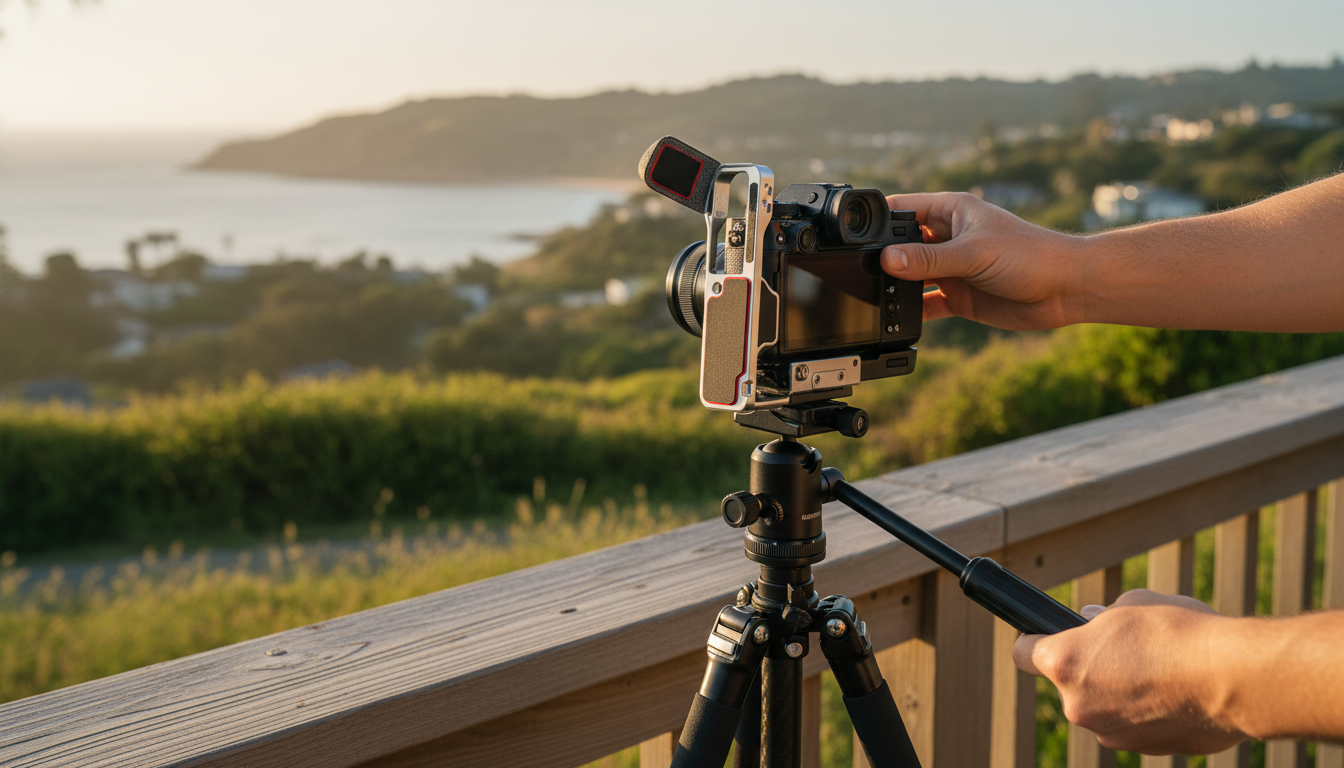
Camera L Bracket Quick Release Plate (1/4 Inch Screw) for Vertical Video
Switching from landscape to portrait shouldn’t mean rebuilding a tripod setup or compromising balance. A camera L bracket with a quick release plate keeps the camera’s center of gravity closer to the tripod head while enabling fast rotation into vertical framing—useful for reels, interviews, product demos, and social-first shoots where portrait orientation is standard. For more guidance, see Review Of The Neewer ST200 Overhead Camera Mount Rig.
What an L Bracket Does for Vertical Video
An L bracket gives your camera two solid mounting planes—one on the bottom and one on the side—so you can mount vertically without flopping a ball head over 90 degrees. That small change can make a big difference in stability and repeatability. For further reading, see Zeapon Micro 2 Slider Review: It’s Just Right – Light And Matter.
- Provides two mounting planes (bottom and side) so the camera can be mounted vertically without tilting the head 90 degrees.
- Helps keep the lens centered over the tripod for better stability and smoother pans/tilts.
- Reduces the chance of tripod flop or creeping in ball heads when switching to portrait orientation.
- Speeds up orientation changes for hybrid photo/video workflows.
Key Parts and How They Work Together
Most quick release L bracket systems follow the same logic: lock the camera to the bracket, then lock the bracket to the tripod head with a clamp. The best results come from tight, flush contact between all surfaces.
- 1/4-inch mounting screw: attaches the bracket to the camera’s tripod socket (commonly 1/4-20).
- Quick release interface: allows rapid attachment/detachment from a compatible clamp or head.
- L-shaped frame: creates a rigid right angle so the camera can mount from the side for portrait use.
- Contact surfaces and alignment: bracket faces should sit flush to minimize micro-movement during recording.
For reference on common camera screw standards, see Tripod mount (camera screw standards overview).
Quick Compatibility Checklist Before Buying
A vertical setup often fails for simple reasons: a blocked battery door, a cable that can’t bend far enough, or a plate that doesn’t match the clamp. A quick pre-check helps avoid last-minute rig surgery.
- Camera fit: confirm the bracket doesn’t block the battery door, SD card slot, or side ports needed for HDMI/USB-C audio adapters.
- Tripod head/clamp type: verify whether the quick release profile matches the clamp system being used (for example, Arca-style vs proprietary plates).
- Portrait clearance: ensure there’s enough side clearance for cables, flip-out screens, and microphone receivers when mounted vertically.
- Load and balance: consider combined weight of camera + lens + cage/accessories; keep the setup centered when possible.
If you’re using an Arca-type setup, it’s helpful to understand how dovetail variations can affect clamping. This overview is a solid starting point: Arca-Swiss style quick release basics (dovetail compatibility guidance).
Setup Steps for a Stable Vertical Rig
Portrait video is often more sensitive to vibration—especially on long lenses or when you’re tapping the screen to focus. These steps keep the switch clean and the rig calm.
When an L Bracket Beats Tilting the Ball Head
Practical Use Cases for Vertical Content
Quick Spec Reference (What to Confirm on Any L Bracket Plate)
Compatibility & Fit Checklist
| Item to Check | Why It Matters | What to Look For |
|---|---|---|
| Mounting screw type | Ensures the bracket attaches to the camera | 1/4-inch (typically 1/4-20) camera tripod socket compatibility |
| Quick release profile | Determines whether it locks into the tripod clamp | Matches the clamp standard used on the tripod head |
| Port and door access | Prevents interruptions during recording | Battery/SD door clearance; access to HDMI/USB-C/mic ports |
| Portrait clearance | Avoids collisions with cables and screens | Space for flip-out LCD, cable plugs, and L-shaped connectors |
| Anti-twist stability | Reduces micro-shake and rotation | Flush contact surfaces; tight fit; no rocking when gently pushed |
Care, Handling, and Troubleshooting
Recommended Gear Options (In Stock)
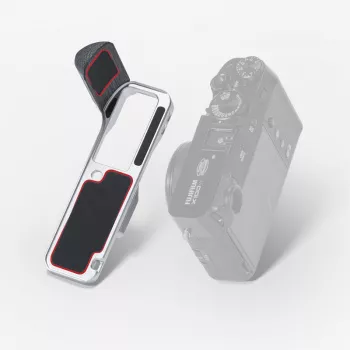
- Camera L Bracket Quick Release Plate 1/4 Inch Screw for Vertical Video — designed to simplify portrait mounting and quick transitions between orientations, while keeping the setup more centered than a fully tilted head.
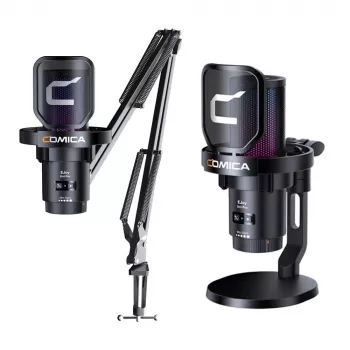
- Wireless RGB USB Gaming Microphone with Noise Cancellation & Boom Arm — a practical add-on for creator workflows where vertical video needs clearer voice audio without relying on the camera’s built-in mic.
FAQ
Is a 1/4-inch camera screw the same as 1/4-20?
Most camera tripod sockets use a 1/4-20 UNC thread, so “1/4 inch” in many listings is typically referring to that standard. Larger support gear may use 3/8-16, so it’s worth checking if you’re adapting to bigger heads or plates.
Will an L bracket block my battery door or side ports?
It depends on the camera body shape and the bracket’s cutouts and height. Before filming, confirm you can open the battery/SD door and still plug in HDMI/USB-C or audio accessories, especially when the camera is mounted vertically.
Do I need an Arca-style clamp for a quick release L bracket plate?
Not always—“quick release” can refer to different plate-and-clamp systems. The plate profile must match the clamp on your tripod head, so verify the standard and test that it locks securely without wobble.














Leave a comment